How to create affiliate campaigns?
 Written by Joran Hofman, Founder of Reditus
Campaigns let you reward affiliates with a one-off bonus for a specific action: creating a piece of content, or reaching a referral milestone within a set period. The bonus comes on top of their regular recurring commission. That makes campaigns the main way to activate affiliates who joined your program but haven't started promoting yet.
Campaigns are on every plan. You find them under Campaigns in the sidebar.
This article covers how campaigns work in Reditus and how to set one up. For the strategy side (what to ask for, how big to make the bonus, and why content campaigns can also help you get cited in AI answers), read our activation guide.
The two campaign types
- Content campaigns reward a piece of content: a blog article, a comparison article, a LinkedIn post, a review, a YouTube video, a newsletter mention, anything content-wise. You define what must be created and the rules it must meet.
- Performance campaigns pay a bonus on top of regular commissions when an affiliate reaches a referral milestone, for example 5 paid referrals within the campaign period. You set the numbers and the period.
Who sees a campaign
- Private: only affiliates already in your program see it. Use this to activate the affiliates you have.
- Limited to a tier: only the affiliates in that tier see it, for example your agencies tier.
- Public: every affiliate in the Reditus network sees it, including affiliates who don't know you yet, so a public campaign also brings you new affiliate requests. Public campaigns are part of Scale Up and Enterprise (see pricing).
Creating a campaign
Open Campaigns in the sidebar (go to Campaigns in the app) and click "New campaign". The form walks you through everything:
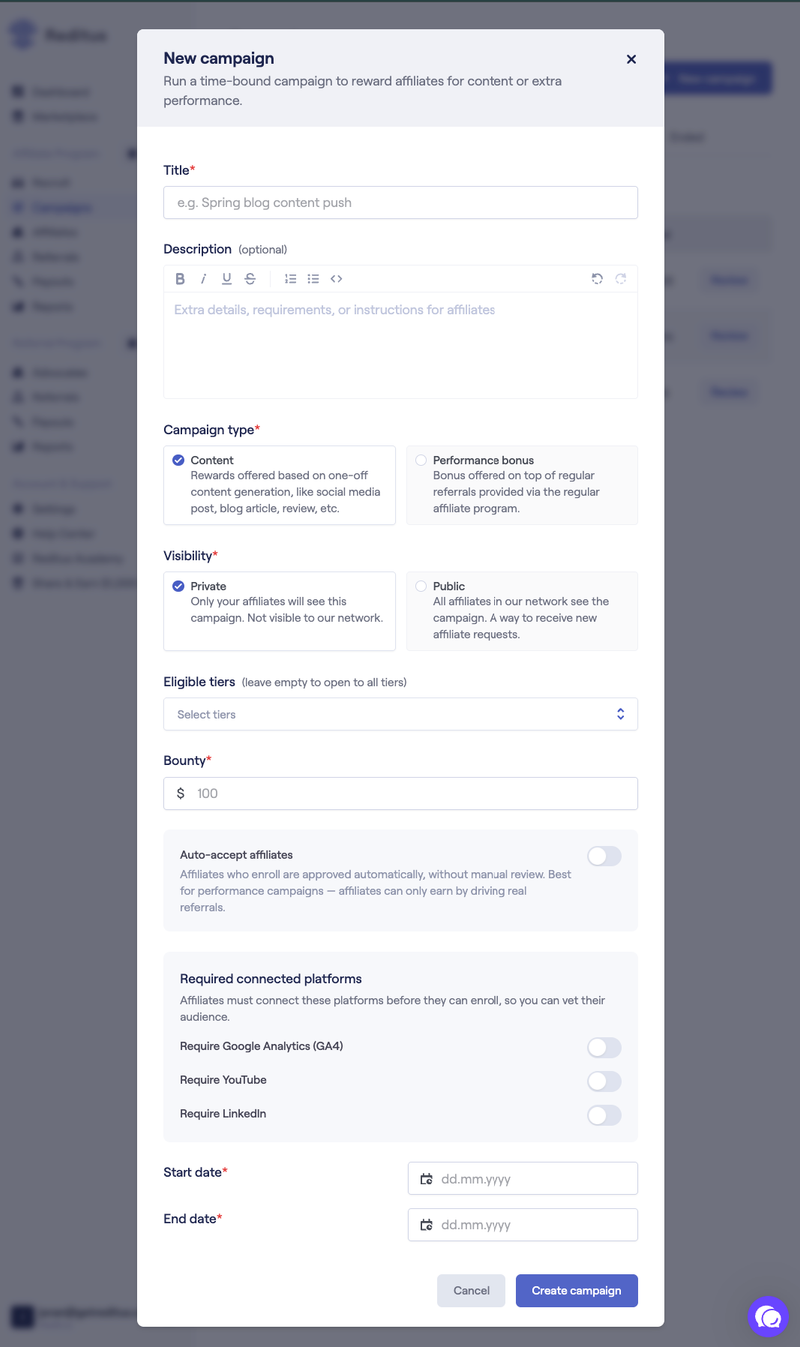
- Title and description: name the campaign and use the description for the requirements and instructions. Be specific: who you are looking for, what good work looks like, and what gets rejected.
- Campaign type: content or performance bonus.
- Visibility: private (your affiliates only) or public (the whole network, on Scale Up and Enterprise).
- Eligible tiers: limit the campaign to specific tiers, for example agencies, or leave it empty to open it to all tiers.
- Bounty: the bonus amount for each accepted submission.
- Start and end date: campaigns are time-bound. The end date creates urgency and caps your budget.
Vetting who can enroll
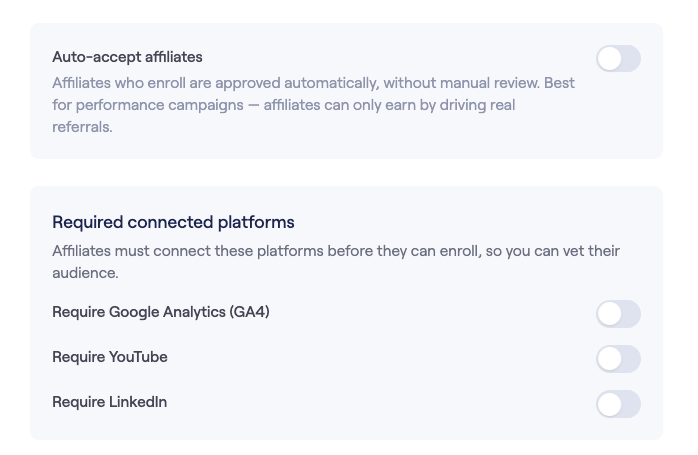
Required connected platforms: you can require affiliates to connect LinkedIn, Google Analytics or YouTube before they can enroll. That checks that they own the channel they claim. With Google Analytics or YouTube you also see their traffic, so you can check it matches the audience you're after. It's optional, and you decide it per campaign.
Auto-accept affiliates: with auto-accept on, everyone who applies is enrolled automatically. With it off, you review every affiliate who joins. Our own content campaign, in which affiliates wrote a blog article about Reditus, ran on auto-accept: in about six weeks we accepted 25 published articles, and we reviewed every submission before accepting it.
Reviewing enrollments and submissions
The campaign flow after you publish it:
- The affiliate enrolls (private campaigns) or requests to join (public campaigns, if they are not in your program yet).
- You approve the enrollment, unless auto-accept is on.
- The affiliate creates the content or works toward the milestone, then submits.
- You review the submission against your campaign rules. Reditus doesn't review or approve submissions for you. Reviews are manual, and in practice they typically take 1 to 5 business days. The sooner you review, the sooner your affiliates get their bonus.
- When you accept the work, the bonus is created as a commission. It goes into the payout on the 1st of the following month, together with the affiliate's other commissions.
Nothing is created before you accept the work. The affiliate also keeps earning their recurring commission on any customers the work brings in.
Each campaign's detail view shows the full pipeline: enrolled, submitted, approved and awaiting review, plus how many days the campaign has left.
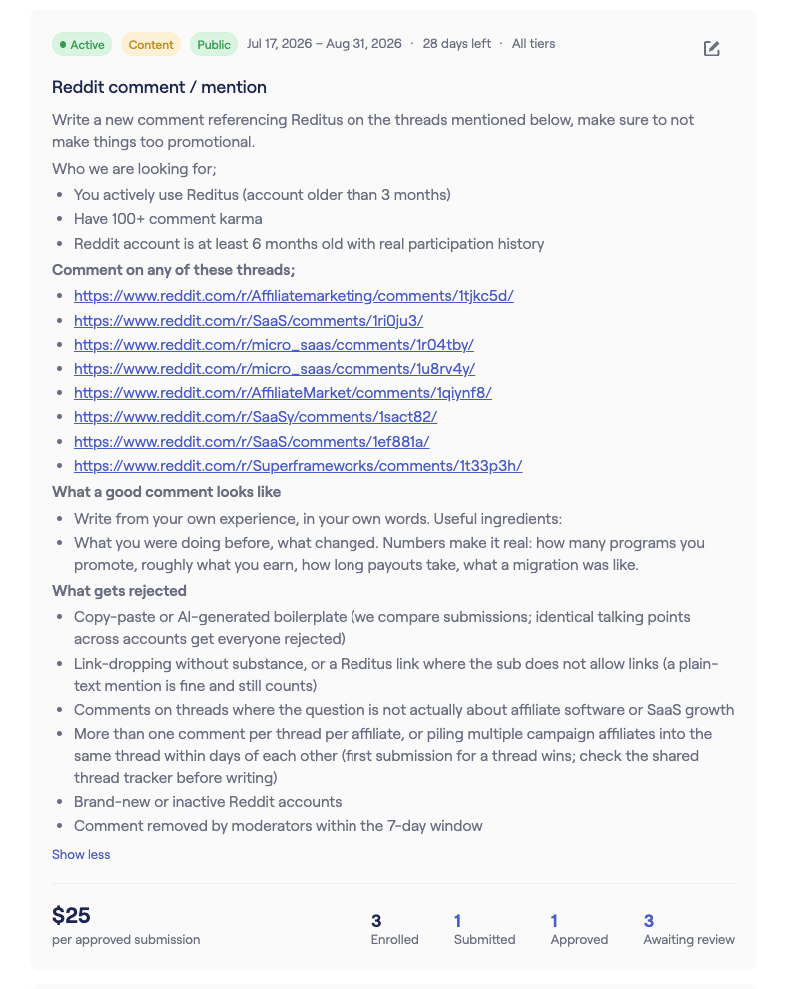
Expect to send some submissions back. In our own content campaign, some articles forgot the affiliate link, some were fully AI-generated and some contained inaccurate claims. Check each one against your rules and ask for fixes before you accept it.
What affiliates see
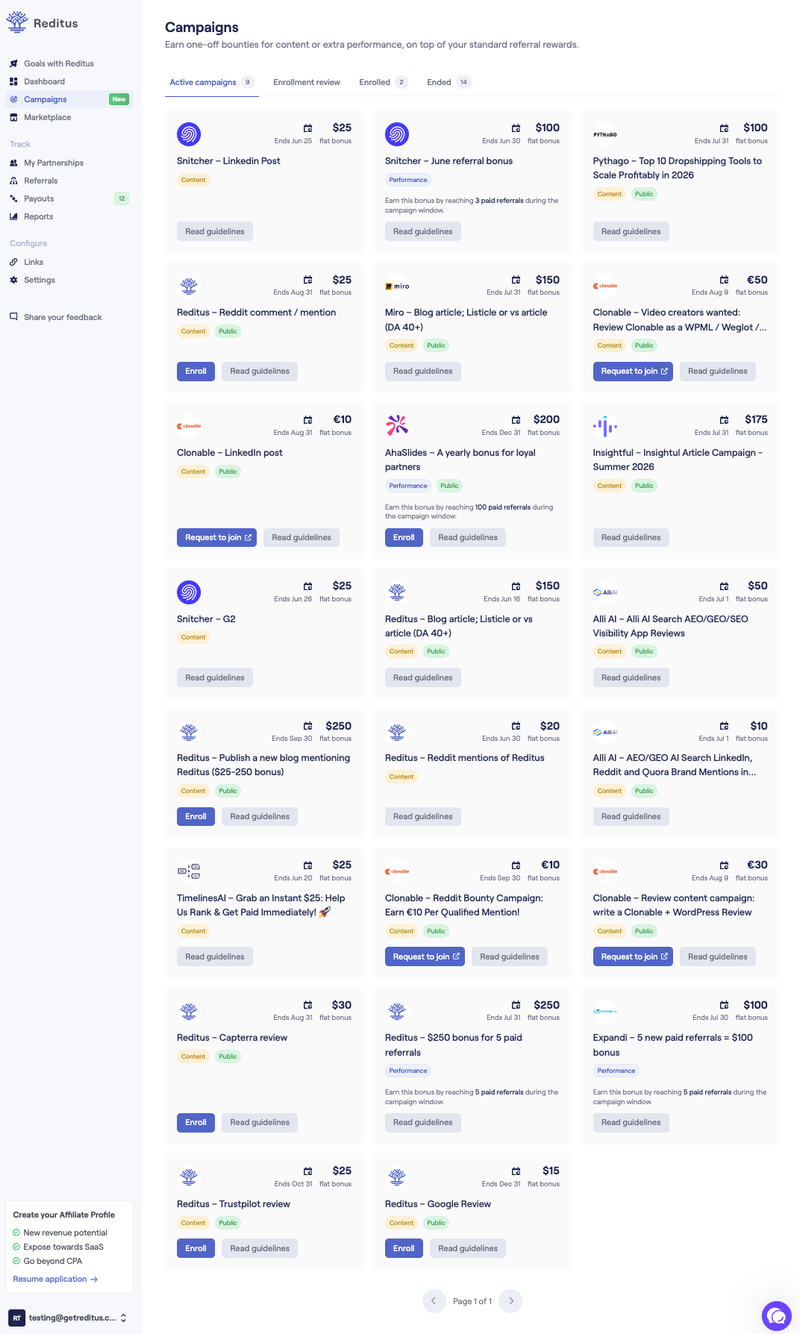
Affiliates have their own Campaigns view, with tabs for active campaigns, enrollment review, enrolled and ended campaigns. Each card shows the bounty, the end date and the guidelines. Public campaigns appear there for the entire network.
Tips for campaigns that work
- Write the guidelines like a brief: who you're looking for, what a good submission looks like, and what gets rejected. Affiliates deliver better work when the bar is explicit, and your reviews go faster.
- Match the bounty to the effort and to the audience you get. A bonus that is too low is the main reason campaigns flop. A proper YouTube video, say a demo walkthrough, takes an hour or two to make and can rank for your keywords for years, so it needs a real bonus. A mention in a newsletter your customers read can easily be worth $1,000 or more, and a post from a big LinkedIn profile even more.
- Give affiliates the facts about your product, so they can write accurate content quickly. For our own program we built an AI chat on our own documents for exactly this.
- Mention your active campaigns in your automated onboarding emails, so every new affiliate starts with a concrete task and a reward.
- Keep it genuine. Paid reviews, Reddit comments and LinkedIn posts must be genuine and disclosed according to each platform's rules, so neither you nor Reditus gets flagged by Reddit, LinkedIn or others. Reject submissions that read like unedited AI output.